Invoicing
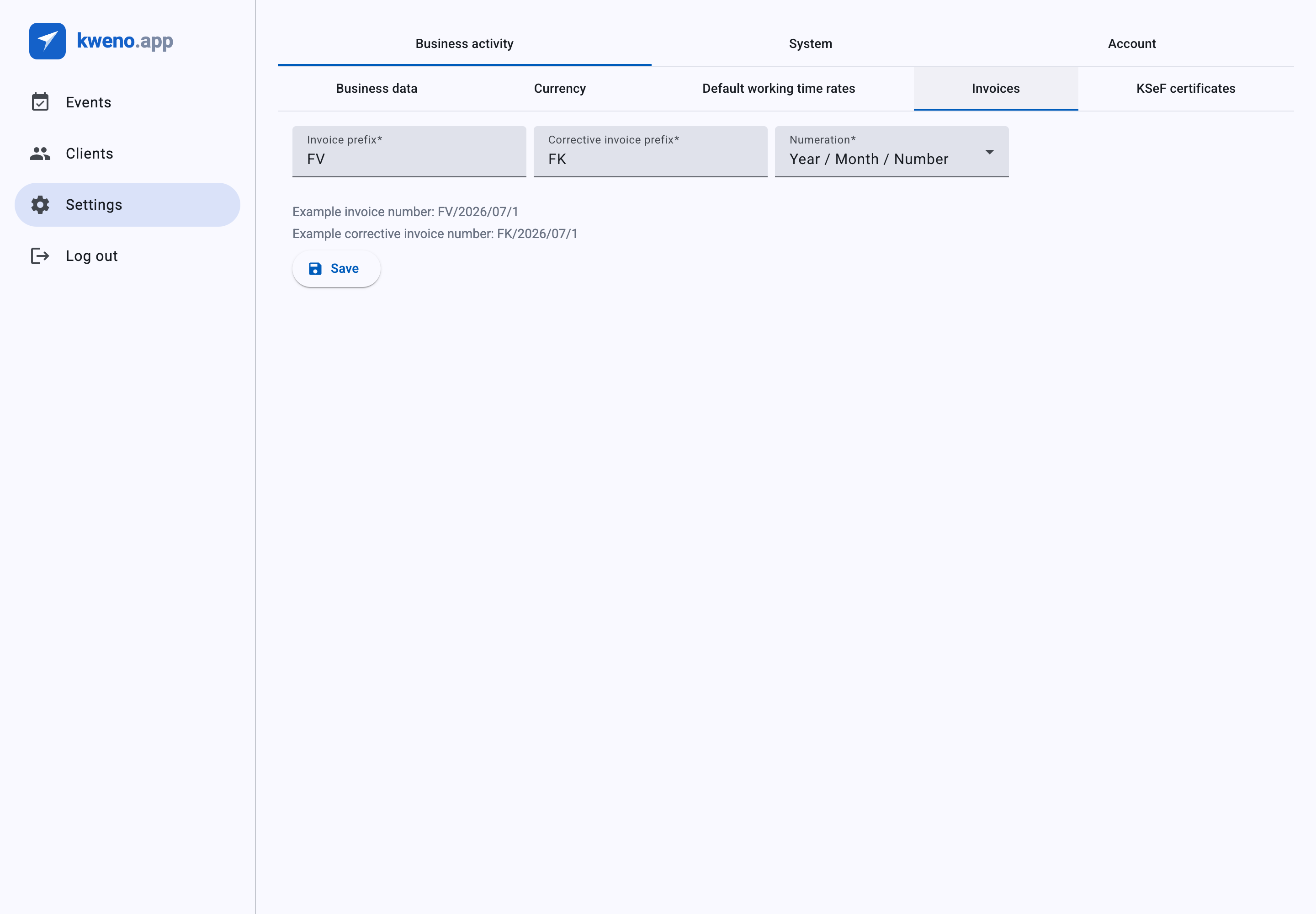
The Invoices settings decide how your invoice numbers are built. Set them up once and every invoice you issue afterwards follows the same numbering scheme.
You reach these options from Settings, under the Business activity area, on the Invoices sub-tab.
Note
Before you can issue any invoice you must first fill in your seller details. See Business data — without it, invoice creation is blocked.
Invoice numbering
On the Invoices sub-tab, the Numeration field controls the layout of every invoice number. It is a required select with five formats. The prefix you choose (see Prefixes) is always placed first, followed by the layout you pick here.
Sequential numbers restart at 1 for each numbering group. For example, a format that includes the month starts counting again from 1 at the beginning of every month; a year-based format restarts every year.
| Format (Numeration) | What the number looks like | When numbers reset |
|---|---|---|
| Number | prefix + running number only | Never resets — one continuous sequence |
| Number / Year | number, then year | Every year |
| Number / Month / Year | number, then month, then year | Every month |
| Year / Number | year, then number | Every year |
| Year / Month / Number | year, then month, then number | Every month |
The table below shows each format built from the invoice prefix P, for the first invoice issued in July 2026:
| Format (Numeration) | Example number |
|---|---|
| Number | P/1 |
| Number / Year | P/1/2026 |
| Number / Month / Year | P/1/07/2026 |
| Year / Number | P/2026/1 |
| Year / Month / Number | P/2026/07/1 |
How a number is put together
With the invoice prefix set to P and Numeration set to Number / Month / Year, the first invoice you issue in July 2026 is numbered P/1/07/2026. The next invoice that same month is P/2/07/2026. In August, the counter restarts and the first invoice becomes P/1/08/2026.
Note
An issued invoice number is fixed for good. Once an invoice is issued it keeps its number even if you later change the Numeration format — the new format applies only to invoices you issue afterwards.
Prefixes
The Invoices sub-tab has two prefix fields. Both are required.
| Field | What it is | Notes |
|---|---|---|
| Invoice prefix | The text placed in front of every regular invoice number. | Required. Up to 20 characters. |
| Corrective invoice prefix | The text placed in front of every corrective invoice number. | Required. Up to 20 characters. Must be different from Invoice prefix. |
Corrective invoices use their own prefix and their own separate running counter, following the same Numeration format you chose for regular invoices. So a regular invoice and a corrective invoice never share a number, and their sequences count independently. To learn when correctives are created, see Corrective invoices.
Live preview
As you type, two grey preview lines update to show exactly what your next numbers will look like with the current settings:
- Example invoice number — built from your Invoice prefix and Numeration.
- Example corrective invoice number — built from your Corrective invoice prefix and Numeration.
Watch these lines while you edit to confirm the format reads the way you want before saving.
Prefixes must be different
If Invoice prefix and Corrective invoice prefix hold the same text, both fields show the error 'Prefixes must be different' and you cannot save until you change one of them.
When everything looks right, click Save.
Troubleshooting
Prefixes must be different
You see the error 'Prefixes must be different' under both prefix fields, and the Save button stays disabled.
- Cause: Invoice prefix and Corrective invoice prefix contain exactly the same text.
- Fix: Change one of them so the two prefixes differ. As soon as they are different, the error clears and you can click Save.
Related
- Business data — seller details and the default payment method and due term used to pre-fill invoices.
- Invoices & KSeF — how numbering is applied when you draft and issue an invoice.
- Corrective invoices — how correctives use the separate corrective prefix and counter.